


Artificial intelligence (AI) is gradually transforming the way organizations operate and how they select their computer equipment. Until a few years ago, the main criteria for purchasing office computers typically included processor performance, RAM capacity, storage space, and overall cost. Today, AI processing capabilities, energy efficiency, data security, and compatibility with emerging AI tools have also become important considerations.
The introduction of computers equipped with new processors and neural processing units (NPUs) has created new opportunities for businesses. These devices can perform certain tasks involving text, image, and audio processing, as well as running AI models, by relying on their built-in hardware.
But is purchasing these computers necessary for every company? Can organizations actually reduce their costs by replacing older systems? The answers depend on each organization’s business activities, software requirements, and IT development strategy.
What Is an AI-Powered PC?
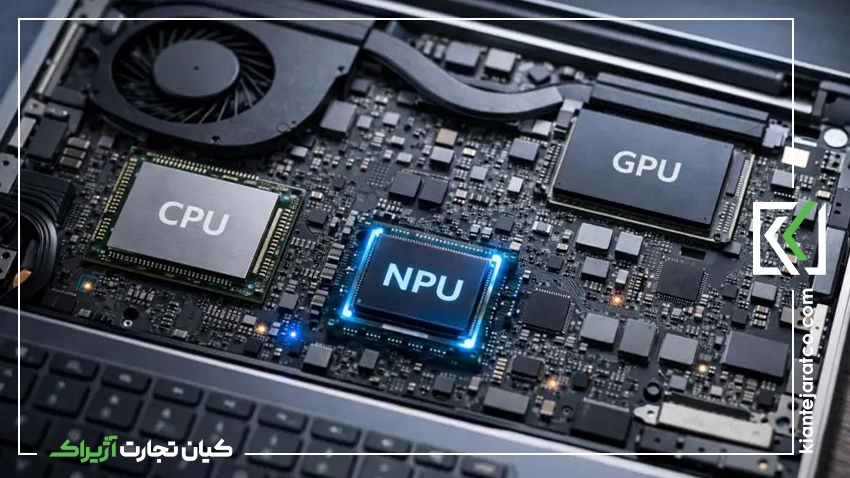
An AI-powered PC, or AI PC, is a computer whose hardware is designed to perform certain AI-related tasks more efficiently. One of the key features of these devices is the presence of a neural processing unit (NPU) alongside the central processing unit (CPU) and graphics processing unit (GPU).
The CPU manages general system operations, the GPU handles graphics processing and parallel computing tasks, and the NPU is optimized for workloads involving neural networks and machine learning models.
This division of responsibilities can help certain AI features run more efficiently. For example, background noise cancellation during video calls, camera enhancements, live captions, translation, and some content-generation or summarization features may benefit from AI accelerators.
However, the presence of an NPU alone does not guarantee support for every AI feature. Each capability depends on hardware compatibility, the operating system, the software being used, and sometimes an internet connection.
The Role of NPU Processors in Modern Computers
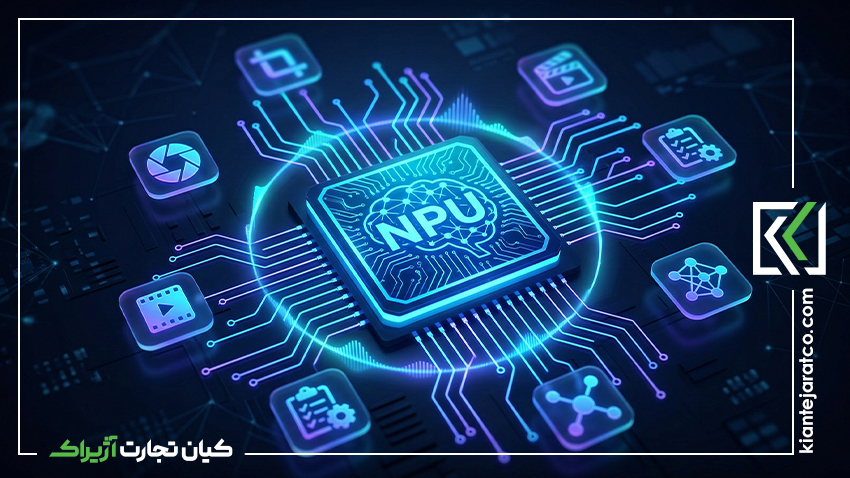
The neural processing unit is one of the important components of the latest generation of personal computers. It can offload some AI processing tasks from the CPU and GPU and, in certain scenarios, help reduce power consumption.
For example, during an online business meeting, a computer may use AI-powered features to improve voice quality or adjust the camera image. In these situations, suitable hardware can enable smoother performance without placing the entire processing workload on the CPU.
According to Microsoft’s official documentation, Copilot+ PCs are equipped with NPUs capable of delivering more than 40 trillion operations per second (TOPS). This specification is important for certain features exclusive to this category of devices. However, TOPS alone is not a complete measure of a computer’s real-world performance.
Organizations should consider overall system performance, software compatibility, memory capacity, security, and maintenance costs in addition to NPU performance.
How AI-Powered PCs Are Affecting the Enterprise Hardware Market
The expansion of AI is not limited to changes in hardware specifications. This trend can also influence purchasing criteria, equipment replacement plans, and the way IT budgets are allocated.
Changing Criteria for Purchasing Office Computers
In the past, many organizations selected office computers based on everyday software requirements and general employee needs. Today, companies must also determine whether their applications and workflows require local AI processing.
For example, a finance department that primarily works with spreadsheets and accounting software may benefit less from a powerful NPU than a content creation or data analytics team. As a result, purchasing a more expensive model simply because it offers AI capabilities is not necessarily an economically sound decision.
Growing Demand for Hardware Compatible with New Software
As AI-powered tools continue to develop, demand may increase for systems capable of running these applications with suitable performance and energy efficiency.
This trend could influence the selection of business laptops, desktop computers, workstations, and even infrastructure equipment. However, requirements vary across user groups, and not every employee needs the same level of processing power.
Greater Importance of Equipment Lifecycle Management
Organizations typically replace their equipment according to a defined schedule. The emergence of new AI-powered capabilities may encourage companies to review these plans.
However, prematurely replacing healthy and functional computers can create unnecessary expenses. A more practical approach is to evaluate software requirements over the next several years when purchasing new equipment and upgrade existing systems when genuine performance limitations arise.
Benefits of AI-Powered Computers for Businesses
Improving Employee Productivity
One of the potential benefits of these devices is that they can simplify certain everyday tasks. Summarizing documents, drafting text, intelligent search, meeting transcription, and assistance with data analysis can reduce the time required to complete some activities.
However, the amount of time saved depends on the type of work and the quality of the software. Purchasing new hardware alone does not increase productivity without selecting appropriate tools and training employees to use them effectively.
Enhancing the Online Meeting Experience
In organizations where online meetings are an important part of daily operations, features such as noise cancellation, automatic lighting adjustments, camera framing, and live captions can improve the communication experience.
These capabilities can be useful for remote teams, sales departments, training sessions, and customer communications. However, the availability of each feature depends on the device model, software, and supported languages.
Enabling Certain Tasks to Run Locally
Another important benefit is the ability to run certain AI models and features locally on the device. In these cases, the processing required for a particular feature can take place without sending all the relevant data to a cloud service.
Depending on the application, this approach can reduce latency and limit data transfers. However, it should not be assumed that all AI processing on modern computers takes place locally. Many tools still require cloud services, a user account, or an internet connection.
Improving Energy Efficiency
NPUs are designed to perform certain types of AI computations with good energy efficiency. As a result, they can help reduce power consumption for compatible workloads compared with running the same processing tasks on other hardware.
However, the actual savings depend on the type of workload, system configuration, and device specifications. To assess the financial benefits, organizations should measure energy consumption under real working conditions rather than relying solely on manufacturers’ advertised specifications.
Challenges of Purchasing and Implementing AI-Powered PCs
Despite their potential benefits, purchasing AI-powered computers without evaluating actual business requirements can lead to higher costs.
Higher Initial Costs
Some newer models are more expensive because they feature advanced processors, faster memory, or specialized capabilities. If employees do not use these devices’ specific AI features, the additional expense may not be economically justified.
Organizations should evaluate the purchase price alongside the device’s expected lifespan, support costs, energy consumption, and the practical value of its new capabilities.
Security and Privacy
Using AI-powered tools in the workplace makes information protection even more important. Employees may share confidential documents, customer information, or financial data with AI applications.
Organizations should establish clear policies for using these tools, manage access permissions, and review how each application’s data is processed and stored before deployment. Running AI models locally does not, by itself, guarantee complete security.
Software Compatibility
Not every application uses an NPU, and not all AI features are available on every system. Before making a large-scale purchase, organizations should test their core applications on the devices they intend to buy.
This assessment is particularly important for companies that rely on specialized accounting, engineering, design, enterprise resource planning (ERP), or legacy software.
What Should Businesses Look for When Buying New Equipment?
To make the right choice, organizations should match each device’s specifications to the type of work its users perform.
- Processor: Evaluate CPU performance and compatibility with the applications the organization needs.
- NPU: Assess AI processing capabilities, software compatibility, and the organization’s actual need for local AI features.
- RAM: Choose an appropriate memory capacity based on the number of applications employees run simultaneously and the volume of data they handle.
- Storage: Select an SSD type and capacity that meet the organization’s storage and application requirements.
- Security: Evaluate hardware-based security features, operating system support, and centralized device management capabilities.
- Connectivity and Ports: Check compatibility with monitors, corporate networks, peripherals, and the docking stations used by the organization.
- After-Sales Support: Consider warranty terms, repair services, spare-part availability, and potential device downtime.
Before purchasing a large number of systems, organizations should test a few sample devices in their actual working environment. This can reveal compatibility issues early and help prevent decisions based solely on specifications listed on paper.
Is It Time to Upgrade Enterprise Computer Equipment?
The answer is not the same for every company. If existing systems perform everyday tasks effectively and there are no plans to adopt new AI capabilities, immediate replacement may not be necessary.
By contrast, organizations planning to integrate AI-powered tools into their workflows should consider hardware compatibility with these applications when making new purchases.
Three actions can help organizations make more informed decisions:
- Identify the activities that can genuinely benefit from AI.
- Test several compatible computer models with the software the organization uses.
- Compare total cost of ownership, security, productivity, and support services before making a large-scale purchase.
Microsoft’s business guidance for Copilot+ PCs outlines capabilities and considerations relevant to using these devices in business environments. Reviewing this information alongside an organization’s actual requirements can help support more informed purchasing decisions.
Conclusion
AI-powered computers can change the criteria organizations use when selecting enterprise hardware. Local AI processing, improvements to certain everyday tasks, advanced communication features, and more efficient power management are among the potential benefits of this generation of devices.
However, every organization should evaluate its actual use cases, software compatibility, total costs, and security requirements before making a purchase. The fact that a technology is new is not, by itself, a sufficient reason to replace existing equipment.
The best decision for businesses is to choose equipment that meets today’s requirements while remaining well suited to the software and workflows they expect to use in the future.
